
What is cPanel?

cPanel is a widely used web hosting control panel that provides a user-friendly graphical interface for managing websites and servers. It offers features for website, email, and database management, as well as security, backup, and software installation. With cPanel, users can easily upload files, create email accounts, set up databases, configure security settings, and perform various other tasks related to hosting. Its intuitive interface and comprehensive features make it a popular choice for both website owners and server administrators.
Table of Contents
What are the features of cPanel?
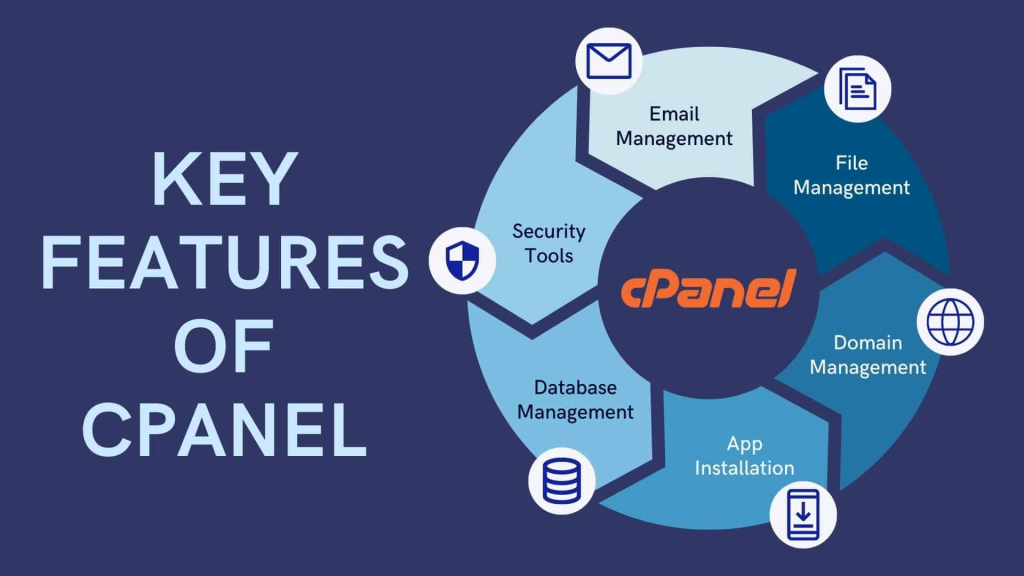
cPanel offers a wide range of features for website owners and server administrators. Here are some of the key features:
- Website Management:
- File Manager: Allows users to upload, download, and manage files on their web server.
- Domain Management: Tools for adding, removing, and managing domain names associated with the hosting account.
- Subdomain Management: Create and manage subdomains for organizing content or creating separate sections of a website.
- FTP Accounts: Set up and manage FTP accounts for transferring files to and from the server.
- Email Management:
- Email Accounts: Create and manage email accounts associated with the domain(s).
- Webmail Access: Access email accounts via webmail interfaces like Roundcube, Horde, or SquirrelMail.
- Email Forwarders: Set up email forwarding to redirect incoming emails to other addresses.
- Autoresponders: Configure automatic responses to incoming emails, useful for out-of-office messages or acknowledgments.
- Database Management:
- MySQL Databases: Create, manage, and administer MySQL databases for storing website data.
- phpMyAdmin: Web-based interface for managing MySQL databases, allowing users to execute SQL queries, import/export data, and manage database users.
- Security:
- SSL/TLS Management: Install and manage SSL certificates to encrypt data transmitted between the web server and visitors’ browsers.
- IP Address Deny Manager: Block specific IP addresses or ranges from accessing the website.
- Password-Protected Directories: Restrict access to certain directories with password authentication.
- Server Administration:
- DNS Management: Configure domain name system (DNS) settings, such as adding DNS records like A, CNAME, MX, and TXT records.
- Cron Jobs: Schedule and automate tasks to run at specified intervals using cron jobs.
- Server Information: View server status, information, and resource usage statistics.
- PHP Configuration: Customize PHP settings and versions for web applications.
- Backup and Restore:
- Backup Wizard: Easily create and restore backups of website files, databases, email accounts, and configuration settings.
- Backup Configuration: Schedule automatic backups and manage backup retention policies.
- Software Installation:
- Softaculous: One-click installer for popular web applications and scripts like WordPress, Joomla, Drupal, Magento, and more.
- Metrics and Analytics:
- Website Statistics: Access detailed statistics on website traffic, visitor demographics, and other metrics.
- Error Logs: View logs of errors encountered by the web server, helping diagnose and troubleshoot issues.
These are just some of the core features offered by cPanel. The platform continues to evolve, and additional features and improvements are regularly introduced to enhance its functionality and usability.
What are the Main advantages of cPanel?

cPanel offers several advantages for both website owners and server administrators:
- User-Friendly Interface: One of the main advantages of cPanel is its intuitive graphical interface, which makes it easy for users to manage their websites, domains, email accounts, and other hosting-related tasks without needing advanced technical knowledge.
- Automation and Efficiency: cPanel automates many routine tasks involved in website and server management, such as setting up email accounts, installing software applications, and configuring security settings. This automation saves time and effort for both users and administrators.
- Comprehensive Features: cPanel provides a wide range of features for website management, server configuration, email management, file management, backup and restore, security, and more. This comprehensive set of tools allows users to handle virtually all aspects of their hosting accounts from a single interface.
- Scalability: Whether you’re hosting a small personal website or managing a large e-commerce platform, cPanel can scale to meet your needs. It offers features for managing multiple domains, user accounts, and server resources, making it suitable for websites of all sizes.
- Compatibility and Support: cPanel is compatible with various operating systems, including Linux, and is supported by a large community of users and developers. This widespread adoption ensures compatibility with many web hosting providers and third-party software applications, as well as access to a wealth of documentation and support resources.
- Security Features: cPanel includes built-in security features such as SSL/TLS certificate management, IP address blocking, password-protected directories, and security scans to help users protect their websites and servers from threats and vulnerabilities.
Overall, cPanel’s combination of user-friendly interface, automation, comprehensive features, scalability, compatibility, and security make it a popular choice for web hosting control panels.
Why cPanel is license based.

cPanel operates on a license-based model for several reasons:
- Development and Support Costs: Developing and maintaining a sophisticated software product like cPanel requires significant resources, including software development, testing, documentation, and customer support. By charging for licenses, cPanel can generate revenue to cover these costs and ensure ongoing development and support for the platform.
- Value-added Features: cPanel continually updates and enhances its software with new features, improvements, and security updates. By purchasing a license, users gain access to these updates, ensuring that their hosting control panel remains up-to-date and secure.
- Customization and Scalability: cPanel offers various license tiers to accommodate different hosting environments and usage scenarios, ranging from small personal websites to large-scale hosting providers. Licensing allows cPanel to tailor pricing and features to meet the needs of different users and businesses.
- Quality Control: By requiring licenses, cPanel can maintain control over the distribution and usage of its software, ensuring that it is used in compliance with its terms of service and license agreements. This helps protect the integrity and reputation of the cPanel brand.
- Support and Accountability: Licensed users are typically entitled to technical support and assistance from cPanel’s support team. This support ensures that users can receive help and guidance when encountering issues or needing assistance with their hosting control panel.
Overall, the license-based model enables cPanel to sustain its development efforts, provide ongoing support and updates, tailor its offerings to different market segments, and maintain control over the distribution and usage of its software.